
After finishing my first round of technical optimizations, I wanted to know one thing: how to improve SEO score on WordPress in a way that actually works.
In my previous post, Start with Google Search Console, I documented how I diagnosed GSC indexing issues, optimized page titles and meta descriptions, and adjusted the site structure and author information. But after all that, had the site actually improved? I had no idea.
There was only one way to find out: run an audit.
This article is a record of my own case—how I went from 72 to 94, and what the GSC data showed afterward. It is not a general SEO tutorial, but a real process log.
One thing needs to be clear from the start. When I mention “SEO score” in this article, I am referring to the score from Rank Math’s SEO Analysis tool, not a ranking given by Google. The plugin score measures whether a set of technical items are done correctly—whether titles are written, whether H1 tags are duplicated, whether the sitemap works. It is a health check, not an exam result. Normal health indicators do not guarantee a first-place ranking.
The Starting Point: What the Audit Found
The first time I ran an audit, I did not expect much. The site was new, there were only a few posts—what could possibly be wrong?
Then I saw the result, and I paused.
72.
Rank Math’s audit report showed that it checked 38 items in total: 26 passed, 5 failed, 3 warnings, and 4 informational notes. That adds up to 38. A score of 72 is not bad, but it is far from good.
The 72 score meant that the optimizations from my first post had indeed passed the audit—page titles, meta descriptions, and site structure showed no errors. But there were still 5 failed items waiting for me.
The first was duplicate H1 headings. The homepage had two H1s—one that I intended as the main title, and another that had somehow also been set as H1. Rank Math flagged this as a failure because multiple H1s can affect how search engines determine the page’s main topic.
The second was missing keywords in titles and descriptions. It is like opening a shop but leaving the sign blank. People walk by and have no idea what you are selling.
The third was a missing focus keyword. One page and one form had no focus keyword set. I could ignore the form, but not the page.
The fourth was that titles were missing the focus keyword. Three pages and three posts had focus keywords set, but the keyword did not appear in the title.
The fifth was a missing OpenGraph image. When someone shared the link on social media, no thumbnail appeared—just a blank box.
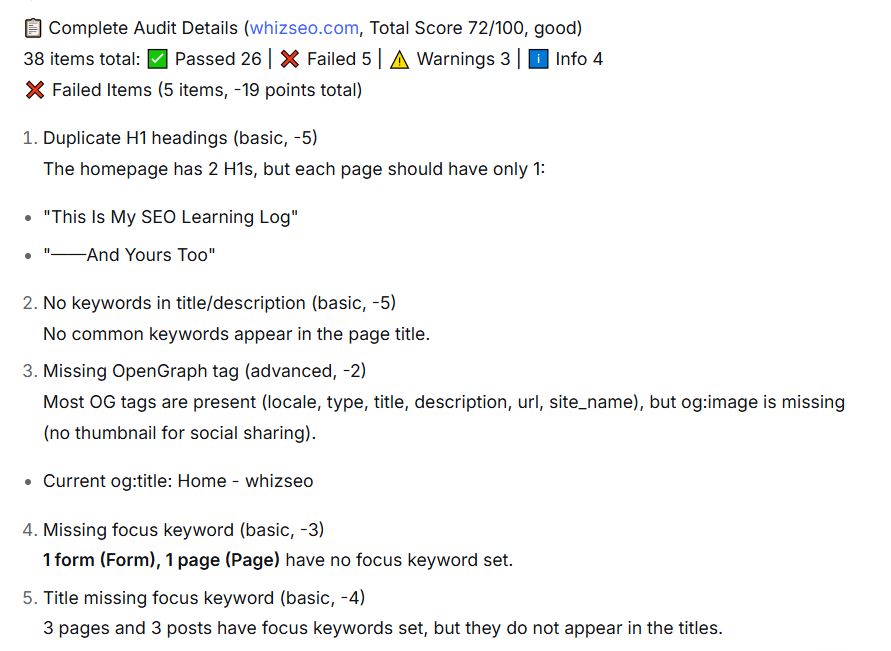
These issues together deducted 19 points. The remaining deductions came from 3 warnings and 4 informational items.
This score falls into Rank Math’s “good” range—not bad, meaning the basics were in place. But to me, it was more like a mirror, revealing the gaps I had overlooked.
Fixing the Issues Behind the 72 Score
Once I identified the problems, I started fixing them one by one. This was my first step toward how to improve SEO score on WordPress—nothing complex, just a few clicks in the backend.
Fixing the Missing OpenGraph Image
OpenGraph image. The OG image is the thumbnail that social media platforms automatically pull when someone shares your link. If a page does not have an og:image set, the shared link shows only a blank box—not only does click-through rate drop significantly, but trust in the link also diminishes. I uploaded a default 1200×630 image in Rank Math under “Titles & Meta → Global → OpenGraph Thumbnail.” Now, whenever anyone shares my site, that image appears.
Optimizing Page Titles and Focus Keywords
Optimizing seven titles. This one was a bit awkward. In my previous post I wrote about updating page titles and meta descriptions, but at the time I only focused on the description and never thought about keywords. Back then I wondered: a page with this little information—why does it need a target keyword? Even if I added one, I would not know how.
But the audit report showed that seven pages and posts had titles missing the focus keyword—including the homepage, About page, and Contact page, which all seemed to have “little information.”
Later I understood: titles and meta descriptions are for users, while keywords are content labels for search engines, helping them categorize your pages. It is not only articles that need this—every page you show to the public needs it. Rank Math’s official guidance states: “Focus keywords help search engines understand what your page is about.” I added target keywords to all seven pages, and to make the keyword appear in the title, I also updated the Post Title. It is not enough to simply “set” the keyword—it must appear where Rank Math can see it, and the title is the most important place.
Strengthening Internal Links
The homepage originally had only 8 internal links, which the audit flagged as a warning. But internal links are not just “adding links”—they build logical relationships between content, telling readers what to read next and helping search engines understand how pages relate to each other.
Which pages should link to each other? I did several things:
- Between series articles: I added reading guides to the three keyword research articles, linking them so readers could move naturally from one to the next.
- Homepage and series articles: I added related links in the homepage’s article display area, turning the homepage into an entry point to core content. After this step, the homepage’s internal links increased from 8 to 10, and the audit warning turned into a pass.
- Article headers and footers: I added related links at the beginning and end of series articles to connect them in sequence.
- Breadcrumb navigation: I had already added this in my first post. It is also a form of internal linking, helping search engines understand the page hierarchy.
Together, these actions did more than just increase the number of internal links on the homepage—they gradually strengthened the entire site’s internal linking system. This is a Rank Math check result. How much SEO effect these internal links actually bring will require longer-term data to verify.
Fixing Duplicate H1s
Duplicate H1s. The homepage had two H1s. One was intended as the main title; the other was created when I set the text size to H1—I thought it was just a font size, but later learned that H1 is an HTML tag that tells search engines “this is the page’s main heading.”
A page with two H1s can confuse search engines about which one is the main topic. Rank Math flagged this as a failure for the same reason. Without this error, I might never have noticed the other meaning of font size. The fix was simple: in Elementor, select that element and change the HTML tag from H1 to H2. The main title of a page or post is usually set as H1 automatically by the theme. Any subheadings you add manually in the Elementor editor should start from H2 to avoid conflicting with the page’s own H1.
Fixing a 404 Sitemap
Sitemap 404. After fixing the issues in the audit report, I wanted to submit the sitemap, but when I opened sitemap_index.xml, I got a 404. I checked Rank Math’s settings and confirmed the sitemap module was enabled. Then I went to the WordPress admin under “Settings → Permalinks,” changed nothing, and simply clicked “Save Changes.” After clearing the cache, the sitemap was restored.
If you encounter a similar situation, you can try the same steps: save permalinks and clear the cache. Clicking “Save Changes” refreshes the server’s rewrite rules, which worked in my case. If your issue is not related to rewrite rules, this method may not apply. After restoring, I resubmitted it in GSC, and the site’s foundational fixes were finally complete.
The Score Changes
After fixing everything, I ran the audit again.
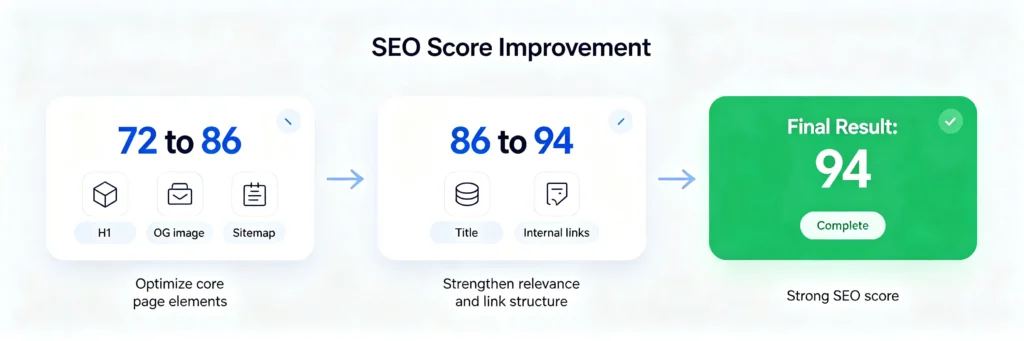
The score went from 72 to 94.
It did not reach 94 in one go. I fixed things in batches, running the audit again after each round to see if the score changed. The table below shows the data throughout the process:
| Metric | Initial | After First Round | Final |
|---|---|---|---|
| Rank Math Score | 72 | 86 | 94 |
| Passed | 26 | 29 | 30 |
| Failed | 5 | 2 | 1 |
| Warnings | 3 | 3 | 3 |
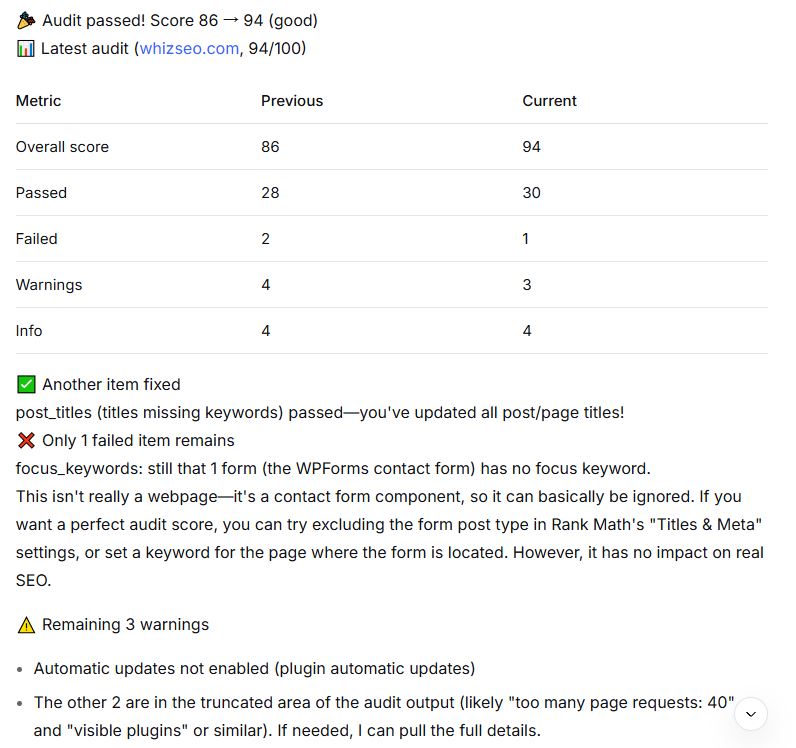
The important thing is not the number 94, but that every increase corresponded to a specific, documented fix. Going from 72 to 86 came from fixing duplicate H1s, the OG image, and the sitemap. Going from 86 to 94 came from optimizing seven page titles and internal links. None of the changes were “just trying something”—each had a clear reason. These score changes reflect changes in Rank Math check items; they do not represent a direct increase in Google rankings.
This is also what I want to make clear through this article—how do you improve your WordPress SEO score? Not through some secret trick, but by finding problems, fixing them, and looking at the data again. Repeat that process.
What Changed After the Fixes
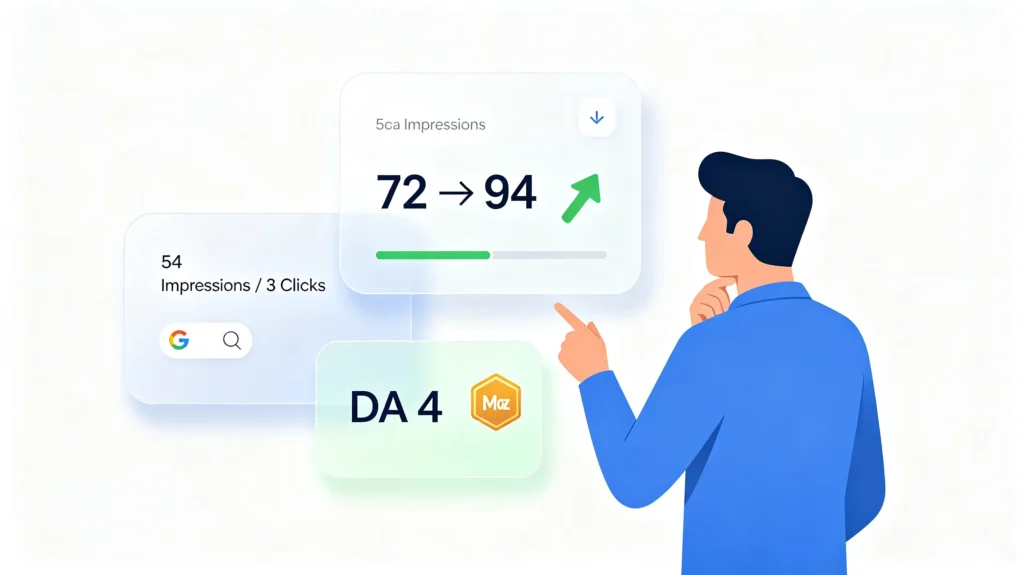
After fixing everything, I looked at three sets of data together.
The Data
Rank Math score: from 72 to 94.
GSC data: During that period, Google Search Console showed that my site received 54 impressions, 3 clicks, and an average position of 74.7. These numbers are not impressive—few impressions, low ranking, and very few clicks. But for a new site, this is normal. At least it shows one thing: Google has started indexing my pages and displaying them for certain search terms.
DA data: Moz’s Domain Authority showed DA=4, 13 linking root domains, and a Spam Score of 72%. A DA of 4 looks low, but that is typical for a new site. DA is a Moz predictive metric, not a Google ranking factor—it is a third-party estimate of a site’s authority.
A Spam Score of 72% sounds alarming, but it does not mean “the site has a 72% chance of being spam.” It is an assessment based on link characteristics by Moz, not a Google judgment. For a new site with an immature backlink profile, this number is often high—it usually reflects a lack of high-quality backlinks and insufficient historical trust, not a penalty from Google.
What It Actually Means
These three data sets answer different questions.
The Rank Math score tells me whether technical issues have been fixed. The failed items were real problems; after fixing them, the site’s “health indicators” improved.
The GSC data tells me how the site performs in Google Search. Few impressions, low ranking, and few clicks indicate that the site is still in its early stages.
The DA data tells me the site’s overall authority. A DA of 4 is normal for a new site, and it reminds me that technical optimization cannot solve authority problems—backlinks and content need time to accumulate.
Together, these three data sets made one thing clear: a higher audit score does not equal a higher Google ranking. If you’re also asking how to improve SEO score on WordPress, this distinction is the starting point.
The 22-point increase reflects an improvement in the site’s audit score, not a 22-point increase in Google rankings. What does ranking depend on? Content quality, backlinks, user behavior signals, and time. A new site, no matter how high its technical score, needs time for Google to discover it, trust it, and rank it.
I also touched on a similar idea in my keyword research article—data is a tool that tells you “what is working,” not the end goal. The audit score is a starting point, not a finish line.
What’s Left to Fix
94 is not a perfect score. The audit report still showed 1 failed item and 3 warnings.
The failed item was a WPForms contact form without a focus keyword. It is not a webpage, but a form component, and has no real impact on SEO. I decided to ignore it.
The three warnings were: plugin auto-updates not enabled, a high number of page requests (40, including 27 CSS files), and four plugins that could be identified from the source code. From a Google ranking perspective, these warnings have no direct impact, so I added them to a follow-up list.
I did not force myself to fix these items just to reach a perfect score. Some issues need prioritization—fix the ones flagged as failures first, and the rest can wait.
FAQ
How long does it take to improve an SEO score?
It depends on the tool. My Rank Math score went from 72 to 94 in about a week. But actual ranking changes in Google Search usually take 2 to 4 weeks to appear in GSC. The score changes quickly; rankings move slowly. These are two different things.
What is a good Rank Math score?
Rank Math generally considers scores above 80 as “good.” But the score itself is not the goal—the focus should be on fixing real problems like duplicate H1s, missing meta descriptions, and broken links. Staring at the score is less useful than staring at the problems.
Does a higher score mean better rankings?
No. The score is a checklist, not a guarantee of rankings. It helps you find technical issues, but Google rankings also depend on content quality, backlinks, and user behavior signals. A high technical score is only the foundation, not the whole picture.
How often should I run an SEO audit?
There is no fixed rule. I ran it several times during this process—after each round of fixes. For ongoing maintenance, once a month is enough. If you publish new content regularly, run an audit after major updates.
What if my SEO score drops after an update?
Do not panic. A score drop usually means a new issue was introduced—perhaps a plugin update changed something, or a new page is missing a title. Run the audit, see what changed, and fix it. The score is a monitoring tool, not a one-time task.
References
- Rank Math. “SEO Analysis Tool.” https://rankmath.com/kb/seo-analysis/
- Google. “Search Console Help: Performance Report.” https://support.google.com/webmasters/answer/75712
- Moz. “Domain Authority.” https://moz.com/learn/seo/domain-authority
Conclusion
Looking back at the journey from 72 to 94, the biggest takeaway was not how much the score increased, but that I learned to use data to verify optimization results—run an audit, see if failed items decrease, and check whether GSC data changes. If you’re trying to figure out how to improve SEO score on WordPress, that process is more valuable than the score itself.
This is the second article in the Technical Optimization series. In the next post, I will cover the complete framework of technical optimization—systematically going through crawlability, indexability, site performance, structured data, and AI readiness. If you have not read the first article yet, you can start with Start with Google Search Console.
📚 SEO Basics Series — 5-Step Core Workflow
This is Step 3: Technical Optimization. If you’re starting from the beginning, here’s the full path:
Step 1: Keyword Research
• What Is Keyword Research? – Concepts & Fundamentals
• Keyword Research – Full Workflow
• AI-Powered Keyword Research Tutorial
Step 2: Content Creation
• How to Use AI for SEO Content (8-Step Guide)
Step 3: Technical Optimization
• WordPress SEO Checklist – Start with GSC ← You are here
• From 72 to 94: How to Improve Your SEO Score ← This post

About Shelldy
An ordinary practitioner learning SEO from scratch. By day, I work in the internet industry; by night, I turn what I’ve learned into articles. I believe that honest learning records are more valuable than rehashed tips. Feel free to connect and exchange ideas.